Introduction
Picture this: your sales team is chasing 40 open leads with no system to track follow-ups, while your operations team is reconciling inventory across three locations in Excel and manually uploading invoices to the GST portal. Both problems are costing you money — but they need completely different solutions.
ERP and CRM are both enterprise software tools, and the confusion between them is understandable — vendors blur the lines, and some platforms bundle both. But they solve fundamentally different problems. Picking the wrong one first can cost Indian MSMEs lakhs in wasted implementation and months of lost momentum.
Here's how to tell them apart — and which one your business actually needs first.
Key Takeaways
- ERP manages internal back-office operations — finance, inventory, procurement, HR, and GST compliance
- CRM manages external front-office activities — sales pipelines, customer data, marketing campaigns, and service
- In short: ERP optimises how your business runs; CRM optimises how your business grows
- Most growing businesses need both — start with ERP if operations are the bottleneck, CRM if revenue generation is
ERP vs CRM at a Glance
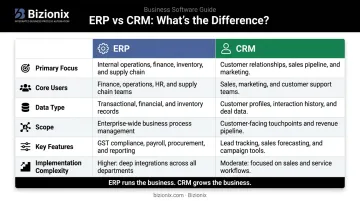
Here's how ERP and CRM compare across the dimensions that matter most for a growing business:
| ERP | CRM | |
|---|---|---|
| Primary Focus | Internal operations | Customer interactions |
| Core Users | Finance, ops, warehouse, procurement | Sales, marketing, customer service |
| Data Type | Transactions, stock levels, payroll | Lead status, communication history, purchase patterns |
| Scope | Company-wide, multi-department | Departmental or team-level |
| Key Features | Financial management, inventory, supply chain, GST compliance | Pipeline tracking, contact management, marketing automation |
| Implementation | Broader, longer, more complex | More focused, typically faster |
The sections below break down each system in detail — including when to use one, the other, or both.
What Is ERP?
ERP (Enterprise Resource Planning) is an integrated software platform that connects an organisation's core internal departments — finance, procurement, inventory, HR, manufacturing — into a single shared system. The goal is to eliminate data silos and give decision-makers a real-time, unified view of operations.
ERP evolved from manufacturing resource planning (MRP) systems in the 1970s and gradually expanded to cover all back-office functions. Cloud ERP has since made this technology accessible to mid-sized and even smaller businesses — not just large enterprises.
The adoption numbers reflect this shift. According to IDC's 2024 MarketScape report, 50% of small businesses named financial management and ERP tools as a top technology priority, with nearly 40% specifically prioritising moving data out of spreadsheets into ERP systems.
Key ERP Modules
A typical ERP platform covers:
- Financial management — general ledger, accounts payable/receivable, budgeting, and bank reconciliation
- Inventory and warehouse management — real-time stock tracking across locations
- Procurement — purchase orders, vendor management, GRN processing
- Order management — from sales order through fulfilment
- HR and payroll — attendance, leave, salary processing, and statutory compliance
- GST compliance — for Indian MSMEs, automated e-invoicing with direct IRP integration and GSTR-1 auto-population
Bizionix, for example, is a cloud ERP built specifically for Indian MSMEs that integrates all of these modules. It includes direct API integration with the government's e-Invoice system for instant IRN generation — eliminating manual JSON uploads and third-party tools entirely.
Business Benefits of ERP
- Faster financial close with automated reconciliation
- Reduced manual errors through validated, integrated data entry
- Real-time visibility across departments without chasing updates
- Cost reduction through process automation
- Built-in compliance for GST, e-invoicing, and statutory requirements
A 2025 Nucleus Research report on SAP Business One SME customers found productivity improvements of 10% to 25%, with one interviewed company achieving a 30% reduction in manual processes and 10% lower operational costs.
ERP Use Cases
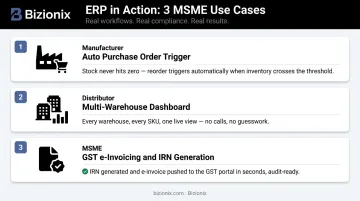
ERP delivers the most value for manufacturers managing multi-stage production, distribution businesses tracking inventory across locations, and any company handling GST filing, multi-entity management, or complex procurement cycles. Here's how that looks in practice:
- A manufacturer sets ERP to auto-generate purchase orders when stock falls below a defined threshold — no manual monitoring required
- A distribution company reconciles inventory across three warehouses in real time, with every location's stock reflected in a single dashboard
- An MSME crossing the ₹5 crore turnover threshold uses Bizionix to generate e-invoices with instant IRN generation and auto-populate GSTR-1 returns — no manual portal uploads, no compliance delays
What Is CRM?
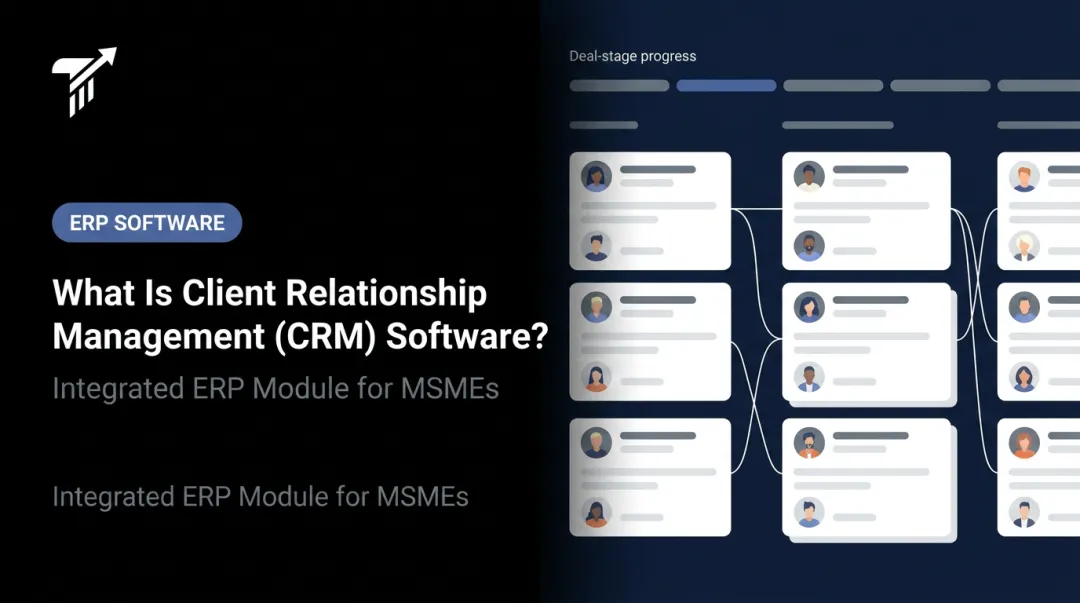
CRM (Customer Relationship Management) software centralises all customer-related data and automates the interactions a business has with current and potential customers — from first contact through post-sale support. It gives sales, marketing, and service teams a shared, real-time view of every customer relationship.
What started as basic sales force automation in the 1990s now covers marketing automation, customer service, AI-driven lead scoring, and engagement across multiple channels. Today, 92% of SMB marketing teams use CRM tools, according to Salesforce's 2024 SMB Trends report.
Key CRM Features
- Contact and account management: centralised customer profiles with full interaction history
- Sales pipeline tracking: visual stages from lead to close, with deal values and probabilities
- Lead management: capturing, assigning, and nurturing potential customers
- Marketing automation: email sequences, campaign tracking, and audience segmentation
- Customer service ticketing: managing support requests and resolution tracking
- Analytics and reporting: conversion rates, win/loss analysis, and retention metrics
Business Benefits of CRM
- Higher sales conversion through structured follow-up and pipeline visibility
- Improved customer retention via personalised engagement
- Reduced time on manual follow-ups with automated sequences
- Better marketing targeting through behavioural segmentation
- Clear performance data for sales teams and managers
These benefits translate into measurable returns. According to Nucleus Research's 2024 analysis of 11 CRM ROI case studies, modern CRM deployments returned $3.10 for every $1 spent, with productivity and process-efficiency gains accounting for 51% of total ROI.
CRM Use Cases
CRM delivers the most value for businesses with large customer bases requiring frequent follow-up, companies managing long B2B sales cycles with multiple decision-makers, and organisations running multi-channel marketing campaigns.
Two common scenarios:
- A B2B services firm tracks 50 active prospects across pipeline stages — sales managers can instantly see which deals have stalled, which need follow-up, and where revenue is likely to close this quarter
- A hotel segments past guests by booking type and sends personalised offers (for example, anniversary packages to returning couples), improving repeat bookings without mass-blast campaigns
ERP vs CRM: Key Differences That Actually Matter
Back Office vs. Front Office
The clearest way to understand the distinction: ERP keeps the business running; CRM keeps customers coming back.
ERP handles everything that keeps the business operational — accounting, inventory, procurement, payroll, compliance. CRM handles everything that drives customer relationships — lead tracking, sales conversations, marketing, and service. Confusing one for the other leads to misaligned tools, frustrated teams, and gaps in either operational control or customer visibility.
Different Data, Different Decisions
ERP data is transactional and operational: invoices, stock movements, payroll entries, purchase orders. CRM data is relational and behavioural: who the customer is, what they bought, how they communicated, and where they are in the buying journey.
Conflating these data types creates confusion. Finance teams don't need a customer's email open rate. Sales reps don't need access to payroll entries. Keeping systems purpose-built — while ensuring they talk to each other — is the right architecture. That question of architecture is exactly where the ERP-with-CRM-module debate comes in.
"Our ERP Has a CRM Module" — Does That Solve It?
Many ERP systems, including Bizionix, include built-in CRM and sales modules that cover lead management, quotations, sales orders, and follow-ups. For many MSMEs, this is sufficient — especially when the priority is operational control and compliance rather than advanced pipeline analytics.
However, a dedicated standalone CRM typically offers greater depth in sales pipeline automation, campaign management, AI-driven lead scoring, and customer analytics. The inverse is equally true: a CRM cannot handle financial transactions, inventory management, GST compliance, or payroll.
The decision hinges on sales process complexity. Basic lead tracking integrated with invoicing and inventory? An ERP with a CRM module works. Multi-touch campaigns, large sales teams, and complex deal cycles? A dedicated CRM adds meaningful capability that most ERP modules don't match.
Implementation Scope and Timeline
ERP implementations are inherently broader because they touch every department. According to Panorama Consulting Group's 2024 ERP Report (based on 131 respondents), the median ERP project timeline is 15.5 months. That figure reflects mid-market and enterprise projects — cloud-based ERP platforms like Bizionix are designed to deploy significantly faster for MSMEs.
CRM implementations are typically more focused and faster, though industry-wide deployment benchmarks for CRM are less consistent. Both systems require clean data and genuine team adoption to deliver value.
The Integration Opportunity
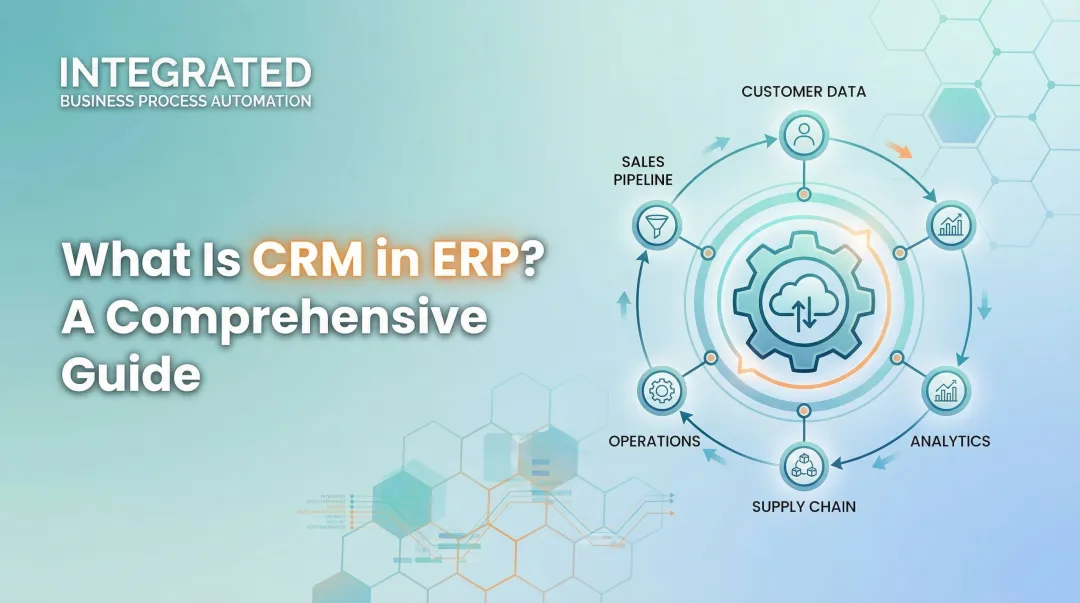
When ERP and CRM data flows together, businesses eliminate costly blind spots:
- A sales rep in CRM sees a customer's outstanding invoice from ERP before making a renewal call
- Finance auto-calculates sales commissions using actual CRM deal data
- Operations can plan inventory around CRM pipeline forecasts
Nucleus Research reported that CRM integration efforts drove 20% to 30% business growth across sales, service, and operations — yet fewer than one in three companies had successfully extended integration beyond basic CRM connections at the time of their research.
Which Should Your Business Choose — ERP, CRM, or Both?
A Simple Decision Framework
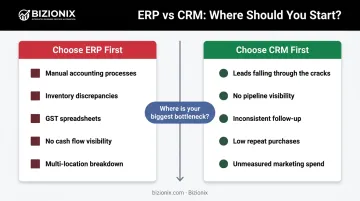
Choose ERP first if your biggest problems are operational:
- Manual accounting and month-end chaos
- Inventory discrepancies across locations
- GST filing done manually with spreadsheets
- Inability to get a real-time view of cash flow
- Multi-entity or multi-location coordination breaking down
Choose CRM first if your biggest problems are customer-facing:
- Leads falling through the cracks
- No visibility into your sales pipeline
- Inconsistent follow-up across the sales team
- Low repeat purchase rates with no retention strategy
- Marketing campaigns with no measurement or targeting
Guidance by MSME Stage
| Business Stage | Recommended Starting Point |
|---|---|
| Early-stage, growing operational complexity | ERP first — get the foundation right |
| Growth-stage with large sales pipeline | CRM first — scale revenue systematically |
| Scaling businesses with both needs | Both, or a unified platform |
The Case for a Unified Platform
The simplest path forward for most Indian MSMEs is a platform that handles operational management and includes built-in sales and customer management. This eliminates double data entry, reduces order errors, and provides end-to-end visibility from lead to cash.
Bizionix is built for exactly this scenario. As a cloud ERP with integrated CRM and sales modules, it covers:
- GST compliance and e-invoicing
- Inventory and warehouse management
- HRMS and payroll
- Multi-company support
All of this runs from a single login, so MSMEs aren't stitching together separate tools or managing integration complexity.
The right starting point depends on where your business is losing the most value right now. Start there — then build toward a system that covers both.
Frequently Asked Questions
Frequently Asked Questions
Which is better, ERP or CRM?
Neither is universally better. ERP is better for managing internal operations — finance, inventory, compliance, and HR. CRM is better for managing customer relationships and sales growth. The right choice depends entirely on where your business's most critical inefficiencies currently lie.
What is ERP and CRM software?
ERP (Enterprise Resource Planning) integrates back-office operations like finance, inventory, HR, and supply chain into one system. CRM (Customer Relationship Management) manages front-office activities like sales pipelines, customer data, marketing campaigns, and service interactions.
What are examples of ERP and CRM software?
Well-known ERP examples include SAP, Oracle NetSuite, and Bizionix (built specifically for Indian MSMEs with GST compliance). Common CRM platforms include Salesforce, HubSpot, and Zoho CRM.
Can ERP replace CRM?
No. While many ERP systems include basic customer management features, they lack the depth of dedicated CRM tools, particularly for sales pipeline automation, lead scoring, and marketing campaign management. CRM cannot replace ERP either — it has no capacity for financial transactions or inventory management.
Do MSMEs need both ERP and CRM?
Most growing MSMEs will eventually need both. The practical starting point is whichever addresses your most pressing pain point: operational challenges call for ERP first, while customer acquisition and retention challenges call for CRM first.
What is the cost difference between ERP and CRM?
CRM systems are generally less expensive and faster to deploy than ERP, which requires broader customisation across departments. For Indian MSMEs, platforms like Bizionix offer ERP starting at ₹999/year — a fraction of traditional enterprise ERP costs.